Role
UX Designer
Timeline
March 2026
Type
Concept Design
Skills
UX Research Prototyping
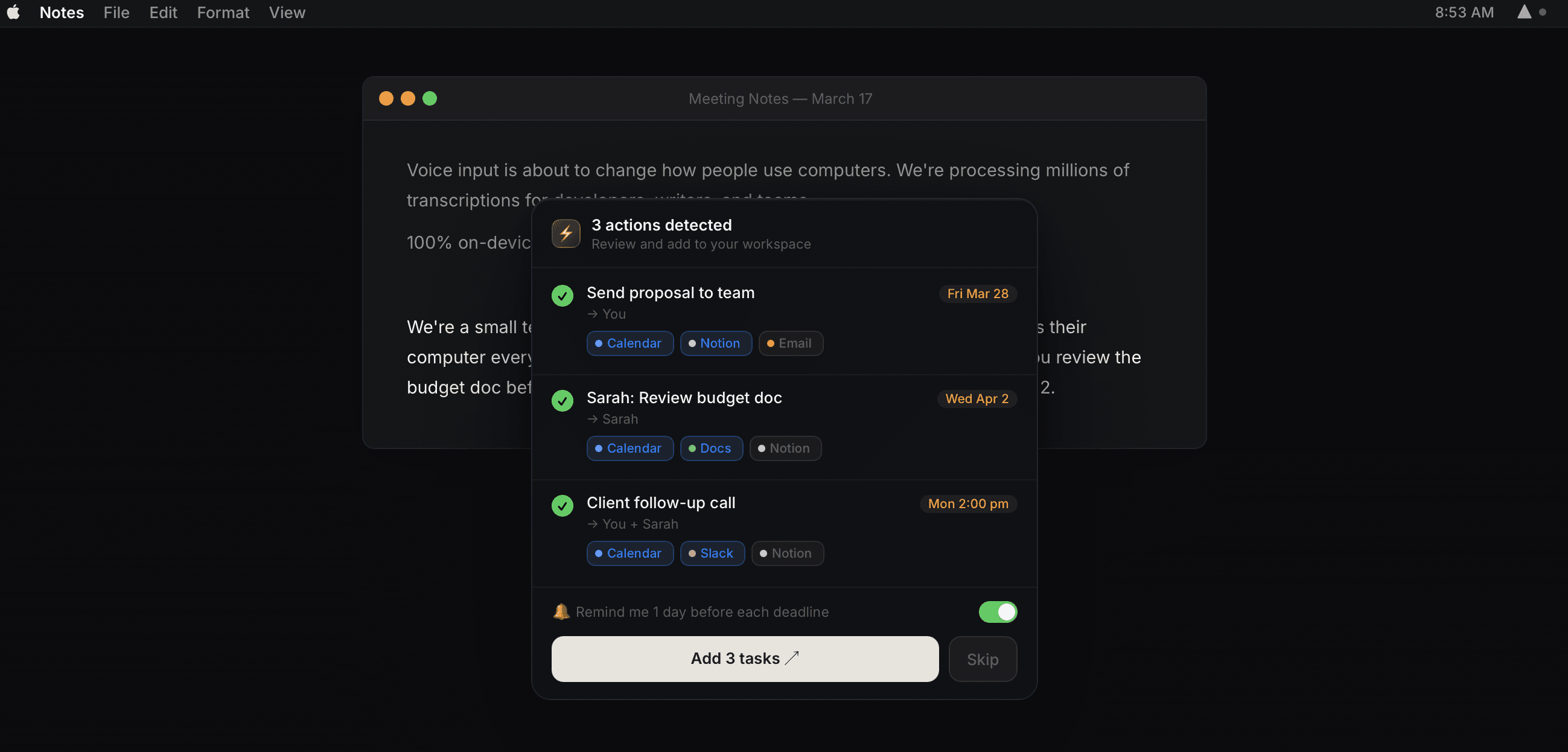
After a meeting, you walk away with a handful of follow-ups — a task to log, a message to send, an event to schedule. Capturing them means jumping between Notion, Slack, and Calendar one by one, which is exactly when things slip. Voice tools could help, but they stop at transcription: you still have to file the text yourself. I proposed SuperWhisper's feature to close that gap, which is a voice mode that detects what you intended from what you said and routes it to the right tool automatically, so the moment after a meeting becomes one step instead of five.
The action
So I designed a voice-intent mode that fits inside SuperWhisper's existing behaviour. Since the app mostly works in the background, I focused on the moment transcription finishes — designing a distinct sound cue to signal "capture is done, your tasks are ready to dispatch." I matched the interface to SuperWhisper's clean, minimal, technical look so the feature reads as native rather than bolted on.
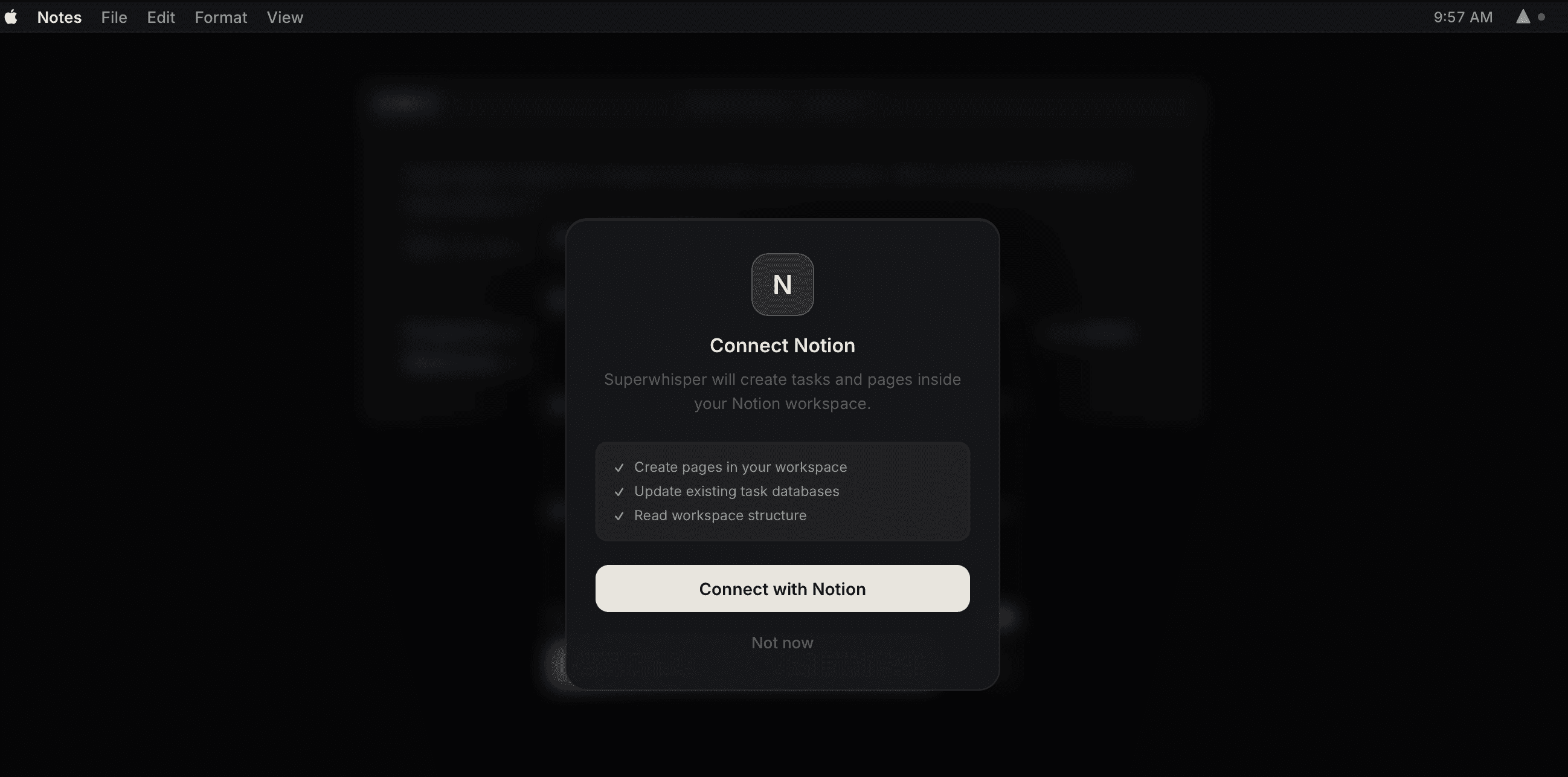
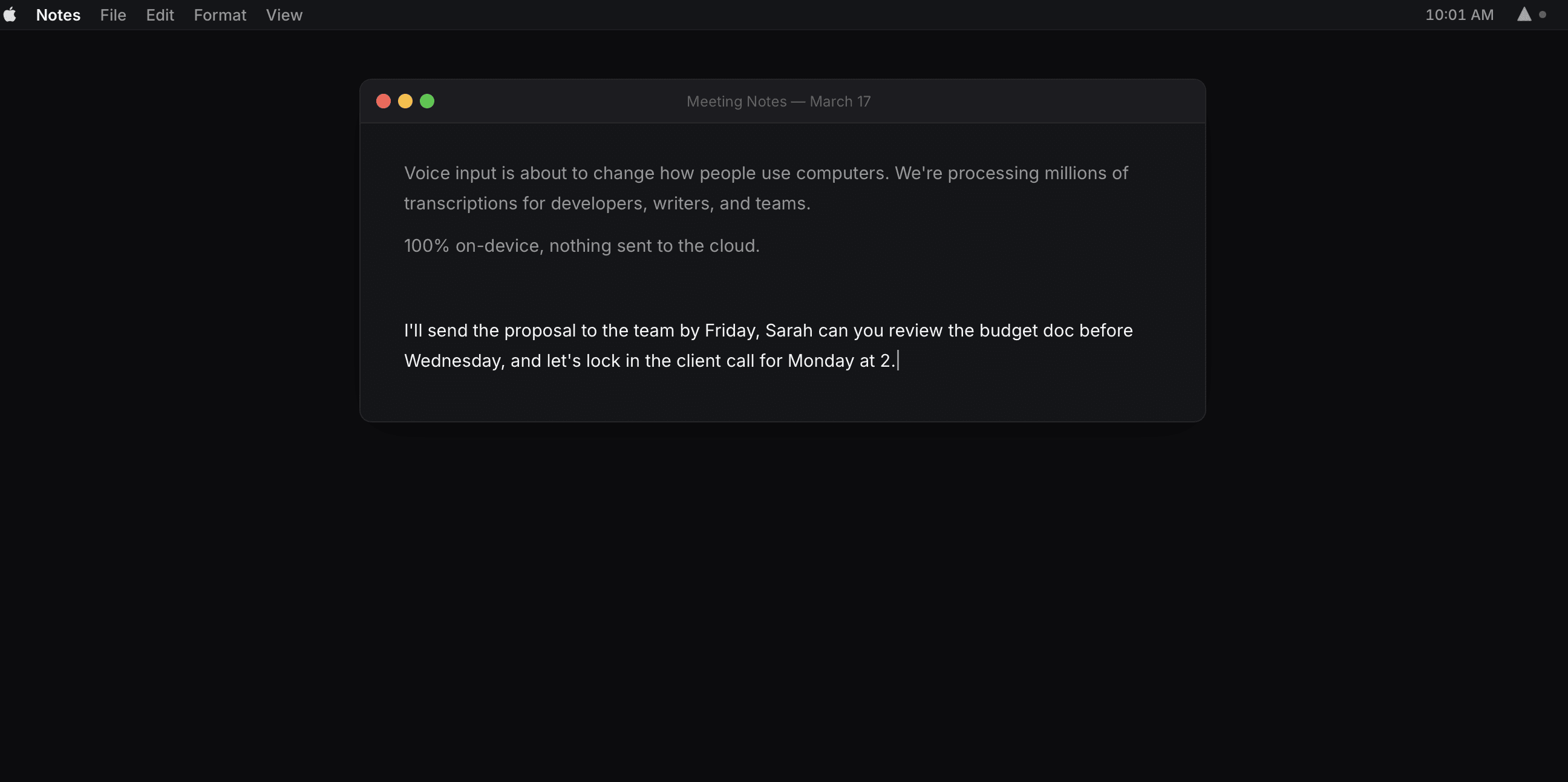
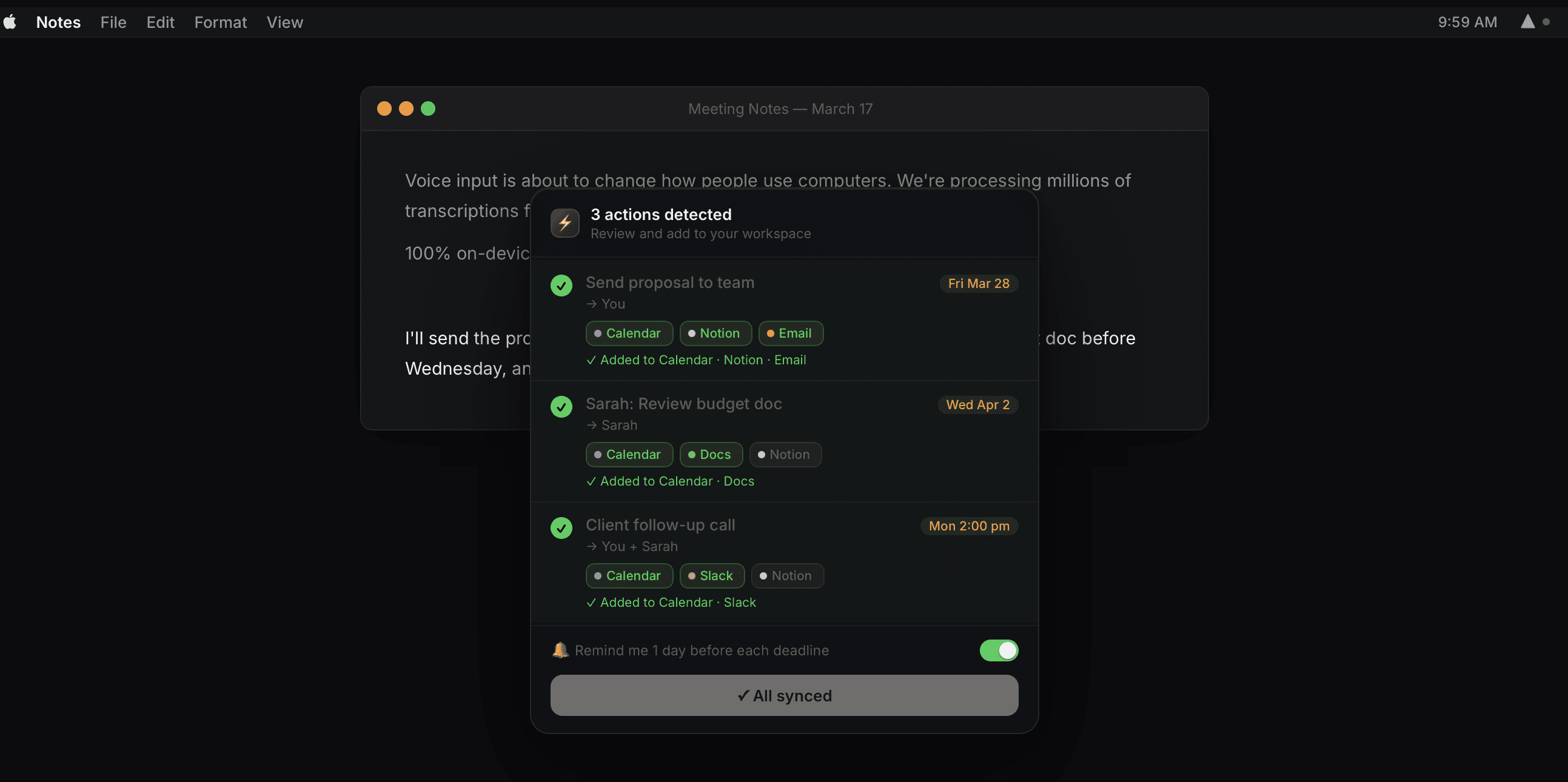
The sound cue was difficult. A sound effect triggers a mental response, and the wrong one pulls the user's attention in the wrong direction. I wanted the cue to register as completion, so the brain reads it as a finished task. Too sharp and it feels like a notification nagging you mid-flow; too soft and it doesn't land at all. Finding a signal that closed the loop in the user's head without adding cognitive load took a lot of back-and-forth. The deeper challenge was surfacing something invisible. SuperWhisper's whole value is staying out of the way and running in the background, so how do I show a list of detected post-meeting tasks without breaking that quiet, app-less experience? That tension is the real open question of the project.
I'll be honest about the part I haven't fully solved. The missing piece is how the intent list should appear given that the app deliberately stays hidden. My current direction is a browser extension for web meetings — it keeps running in the background during the call, then pops up afterward with the list of detected tasks ready to dispatch. I haven't locked this down yet, and I think that's the right place to keep pushing. I like this idea as it started from a friction I actually feel. I want to keep building from: notice the small, repeated annoyance, then ask what it would take to remove it. It also clarified that the hard design problem here is trust. The moment a tool acts on your behalf, the whole experience hinges on whether you can see and steer what it's doing.